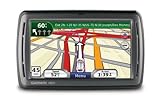
This GPS works exactly as expected. The remote button attaches easily to the steering wheel. Wait until the green indicator shows up on the screen. It has an excellent voice recognition interface, and the advanced GPS features that I want. This is really helpful when you are traveling alone and can't stop. You don't need to use the touch screen
It reads street, and highway lane names.. The where am I ?, Point of interest (POI) features are very useful. It stores location when you remove it from the vehicle mount. It takes you back to your car in a mall parking lot. It re-routes fast without complaining & asking you to turn around. Easy to add and change order of "via" points. You can pre-program easily at home.
I suggest that potential buyers & users go to the GPS Magazine site and read the Garmin 885T review with step-by-step photos & examples of its functions. The 855 is the same unit without Blue Tooth & the Microsoft network. Here's the link:
http://www.gpsmagazine.com/2009/01/garmin_nuvi_885t_review.php
Here's a link to a PDF of the full owner manual
http://www8.garmin.com/manuals/nuvi855_OwnersManual.pdf
1. The serial number is printed on the outside of the unit box, and in the battery compartment.
2. Connect on line with USB cable. Register your unit, and then follow instructions to download "plug-in" which identifies your unit, and then updates your software & most recent maps. This took me 20 minutes with a cable modem.
3. You can charge the battery with the USB cable plugged into your computer. No need for AC charger.
4. On off switch: . Slide left to turn on, it springs back to center. Slide left again to turn off. Slide right to lock ( prevents accidental activation.)
5. Volume control. There are 2 separate controls. After you press VOLUME, press MIXER. There are 3 separate volume controls there, VOICE, MEDIA,( PHONE which doesn't function on this unit). My factory setting for voice was 70%. Others might be lower. This should be increased to 100%.
6. The MEDIA setting is for the micro SD card . You can buy 2 2GB cards & SD card adapter for $19 or less.
7. The FM link to YOUR CAR RADIO is restricted in power by US law, so that other cars won't get your signal. It varies in effectiveness depending upon where your FM antenna is in your car!
8. If you want to play recordings on the Micro SD, try using an adapter from Garmin headphone output into your radio. On older radios, a cassette player adapter will work.
This unit is a great deal, and works well if you read the instructions.
Try it at home, you can walk outside if you don't get satellite signals. Try all the functions & use the voice commands. Then practice on a familiar route until you get used to the functions.
Get more detail about Garmin nüvi 855 4.3-Inch Widescreen Portable GPS Navigator with Speech Recognition.

No comments:
Post a Comment